

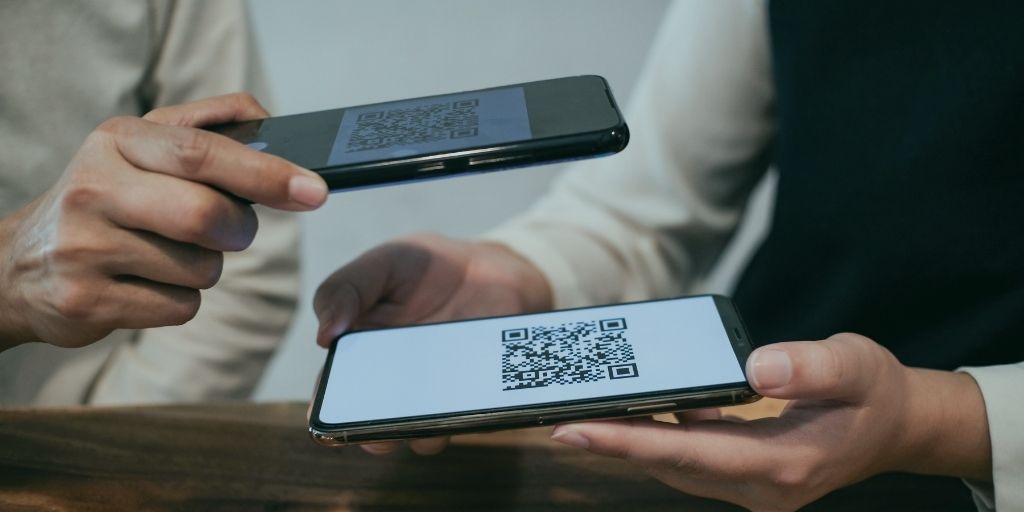
An eSIM is the SIM card without the card. The chip is built into your phone, the network sends your plan to it digitally, and you are connected in minutes rather than waiting for an envelope. Most UK networks now offer one, and the first iPhone with no SIM tray at all is already on sale here. This guide covers how eSIMs work, which of the eighteen networks we compare support them, and the quirks that only show up after you have signed up.
How does an eSIM actually work?
Think of it as a rewritable SIM that lives inside the phone. Instead of posting you a chip, the network sends a small file called an eSIM profile. You download it once, usually by scanning a QR code from an email or tapping a button in the network's app, and the phone stores it. From that moment the phone behaves exactly as if the plastic SIM were in the tray: same number, same signal, same bill.
One phone can hold several profiles, and most recent handsets will run two at once. That is dual SIM without needing two slots, and it quietly powers most of the genuinely useful tricks further down this page.
Does your phone support eSIM?
Roughly: iPhones from the XS onwards, Pixels from the Pixel 4, and most Samsung flagships from the Galaxy S20. But device lists date fast, so check the phone itself. It takes ten seconds.
On an iPhone, open Settings, tap Mobile Service and look for Add eSIM. On a Pixel or most other Androids, it is Settings, then Network and internet, then SIMs, then Add SIM. If the option is there, your phone supports it. The other universal check is to dial *#06#: if an EID number appears alongside the IMEI, the phone is eSIM-capable. Both paths come from Apple's and Google's own documentation.
One more thing worth knowing. Apple's iPhone Air is sold in the UK with no SIM tray at all, the first eSIM-only iPhone here. UK versions of other recent iPhones keep the tray for now, but the direction is obvious: eSIM is becoming the default rather than the alternative.
Which UK networks offer eSIM?
Fourteen of the eighteen networks we compare now sell an eSIM outright. Two more offer one with strings attached, and two do not offer one yet. Here is the full picture, checked against each network's own help pages on 26 August 2026.
| Network | eSIM? | The detail |
|---|---|---|
| O2 | Yes | Choose eSIM at checkout; pay as you go eSIMs are sold in O2 stores. |
| Three | Yes | eSIM is the default choice at checkout; plastic is the opt-out. |
| Vodafone | Yes | Every SIM only plan; also on rolling pay as you go plans. |
| Ecotalk | Yes | No smartwatch eSIMs; changing phone means asking support for a replacement. |
| giffgaff | Yes | Activation is app-only; there are no QR codes. |
| iD Mobile | Yes | QR code by email; manage it in the app or your online account. |
| Lyca Mobile | Yes | New orders come with one online; existing customers swap via support. |
| Rewild Mobile | Yes | Pick eSIM or a posted SIM at sign-up. |
| Sky Mobile | Yes | Chosen at order; replacing an active eSIM means calling Sky. |
| SMARTY | Yes | Available straight away at sign-up; instant swaps from the dashboard. |
| spusu | Yes | QR code activation. |
| Talkmobile | Yes | On every plan; activation runs through the Talkmobile app. |
| Tesco Mobile | Yes | Instant download on pay monthly; otherwise in store or via support. |
| VOXI | Yes | Swap yourself in your online account in around ten minutes. |
| Asda Mobile | Partial | Existing customers only, by phone; not offered at sign-up. |
| Lebara | Partial | New customers need an iPhone Air; existing customers go through support. |
| Grade Mobile | Not yet | Its help pages say eSIMs are coming soon. |
| Mozillion | Not yet | UK plans are physical SIM; its eSIM is a separate travel product. |
The detail column matters more than the yes column. giffgaff activates eSIMs through its app only, with no QR codes involved, and Talkmobile runs activation through its app too. SMARTY used to make new customers join on a plastic SIM and convert afterwards; that restriction has gone, and you can pick eSIM the moment you sign up. Sky Mobile is self-serve until something goes wrong, because replacing an eSIM that is already active means a phone call. And existing customers on Lyca Mobile and Asda Mobile cannot swap to an eSIM online at all: it is support chat for one and a phone call for the other.
How do you get one?
At sign-up, pick eSIM instead of a posted SIM at the network's checkout. The profile then arrives by email as a QR code, or lands directly through the network's app. Keep the phone on Wi-Fi while it installs, and treat the QR code like a ticket: on most networks it works once, so scan it on the phone you actually want the plan on, not a spare. Activation is usually minutes, though a few networks say to allow a couple of hours.
Already a customer? Most networks have a swap option in the app or account page, and the table above notes the ones that make you call instead.
Switching networks with an eSIM
The rules are identical to plastic. Text PAC to 65075, hand the code to your new network, and your number moves within one working day. The difference is delivery. There is no envelope, so the whole switch can finish the same day you start it. Our guide to switching and keeping your number walks through the codes step by step.
One practical note. A new network issues you a fresh eSIM profile rather than transferring your old one, so follow its set-up instructions instead of your phone's transfer tool. Changing phones at the same time? Set the new phone up first, then activate the eSIM on it.
What is an eSIM genuinely good for?
Dual SIM is the big one. A work number and a personal number on one phone, with no second handset in your bag. Or your main SIM plus a cheap data SIM from another network, which also gives you two coverage maps instead of one. Pair that trick with our guide to which network your SIM actually uses so the second SIM sits on different masts from the first.
Travel is the other. A local data eSIM for a trip abroad drops onto the phone next to your UK number, so you still receive calls and texts while your data runs through the cheaper local plan. No swapping tiny pieces of plastic in an airport queue. Check our guide to which networks still include free EU roaming before you decide whether you need one.
And there is nothing to lose. No SIM to bend, drop down the back of the sofa mid-swap, or leave in a drawer inside a phone you traded in.
The honest downsides
Moving phones is the main one. A plastic SIM moves in thirty seconds; an eSIM often does not. Some networks work with Apple's quick transfer between iPhones, but many issue a fresh profile instead, and on a few that means contacting support and waiting. If you change phones often, check your network's replacement process before going digital.
Testing is harder too. When a phone starts misbehaving, the old trick is to drop the SIM into a spare handset to rule the network out. With an eSIM there is nothing to drop, so you would need a replacement profile first.
And choice narrows slightly. Grade Mobile has no eSIM yet, Mozillion's UK plans are physical only, and Lebara and Asda Mobile limit who can have one. If a specific cheap network is the reason you are switching, check its row in the table before you commit.
Format sorted? Every plan on our SIM only comparison can be taken as an eSIM wherever its network's row above says yes. You pick the format at the network's checkout, not ours.